Inquiline's icon

Android apps on your Mac,
as Mac apps.

Each app gets its own window, a Dock icon, notifications and widgets. Behind it runs real Android 15, on your Mac's own chip.

Free and open source · No account · Apple Silicon · macOS 14 or later

brew install --cask inquiline-app/tap/inquiline
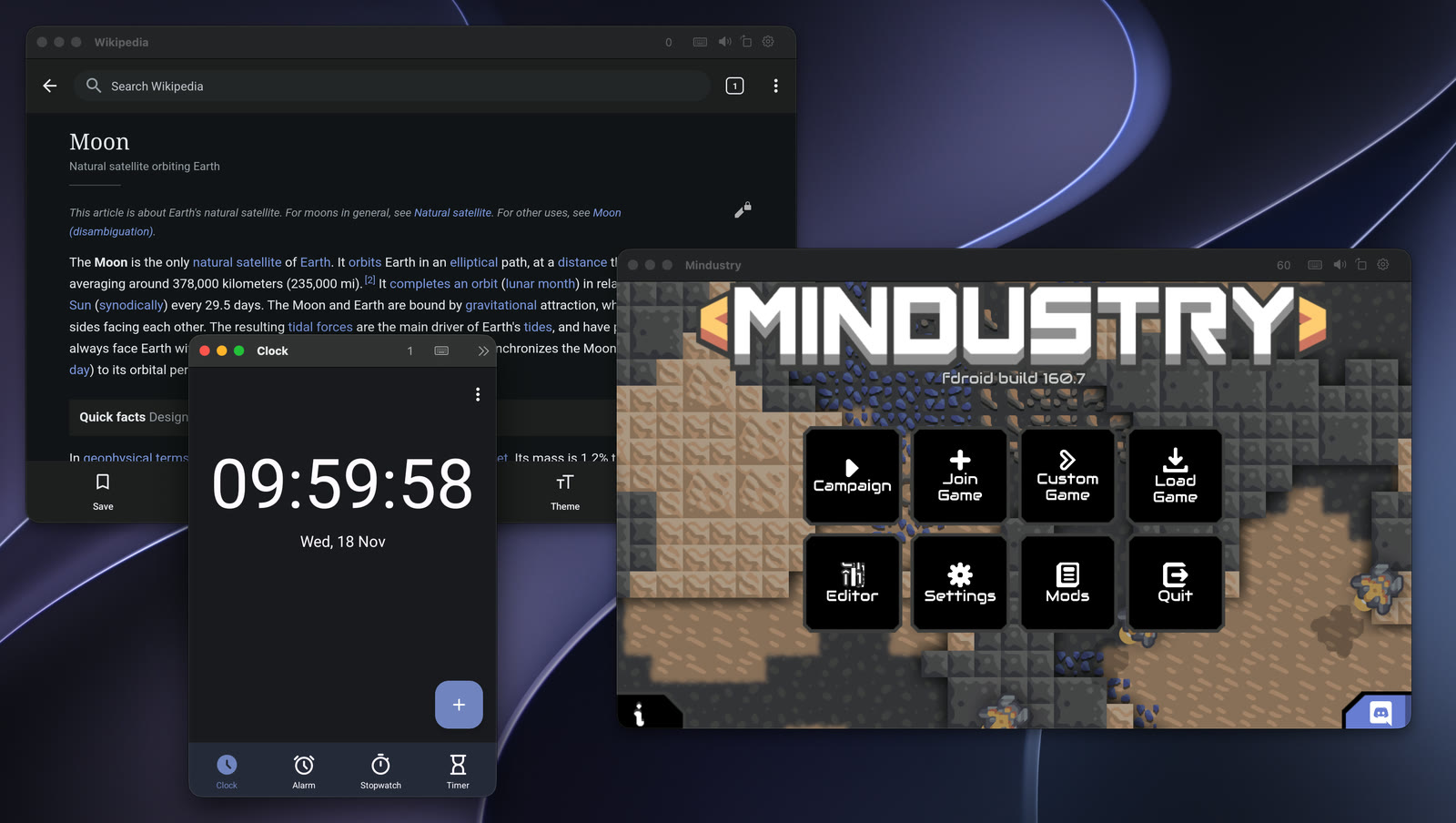
Wikipedia, the game Mindustry and a clock app, each in its own Mac window

Double-click an APK.

Open an .apk, or a bundle such as .xapk, .apkm or .apks, and a few seconds later the app is on your Mac, in Launchpad and Spotlight. Games download their data on first launch, as on a phone. With Google Play added, apps come from the Play Store.
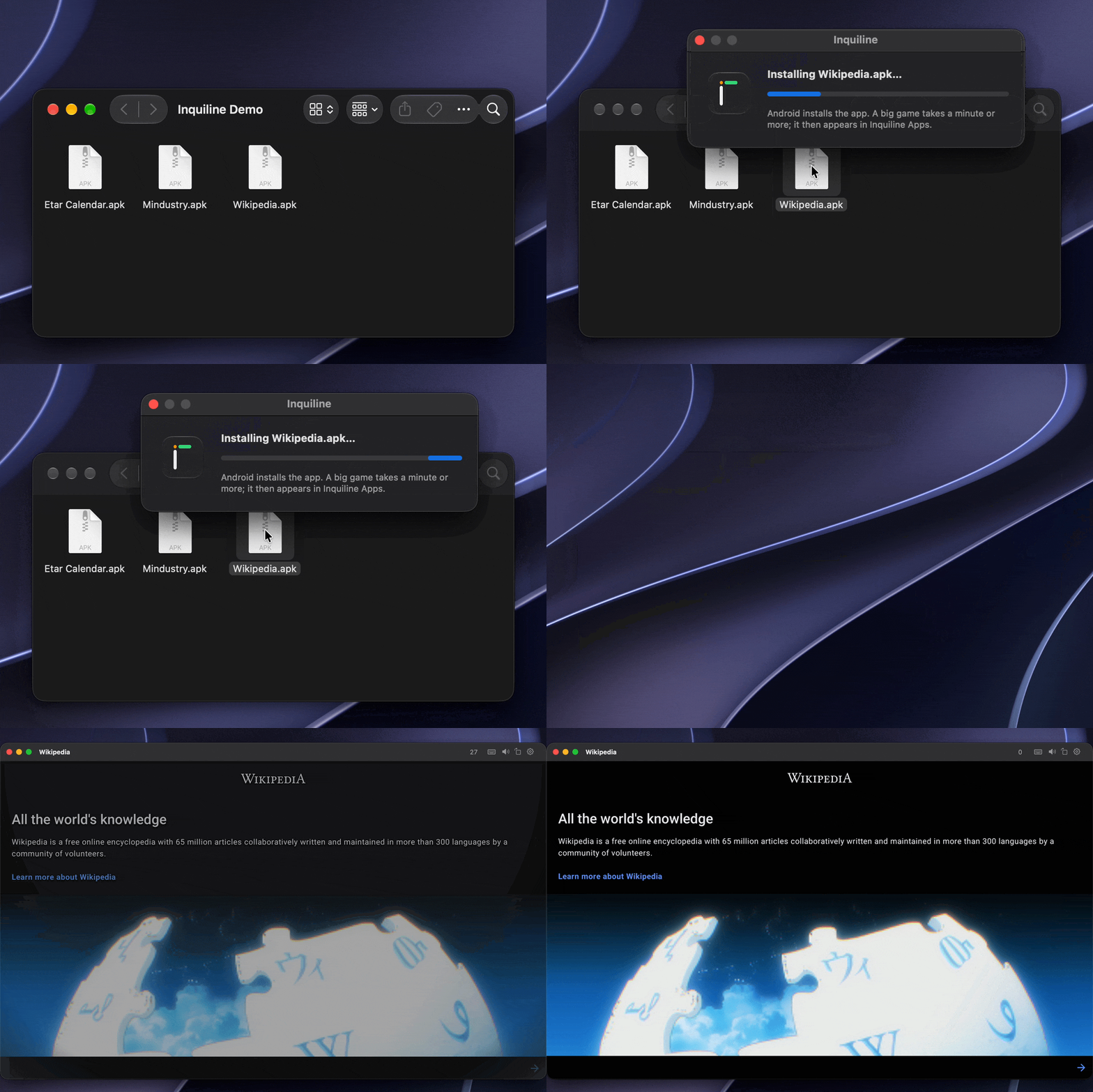
Double-clicking Wikipedia.apk in Finder installs it, and Wikipedia opens in its own window

Your phone is the controller.

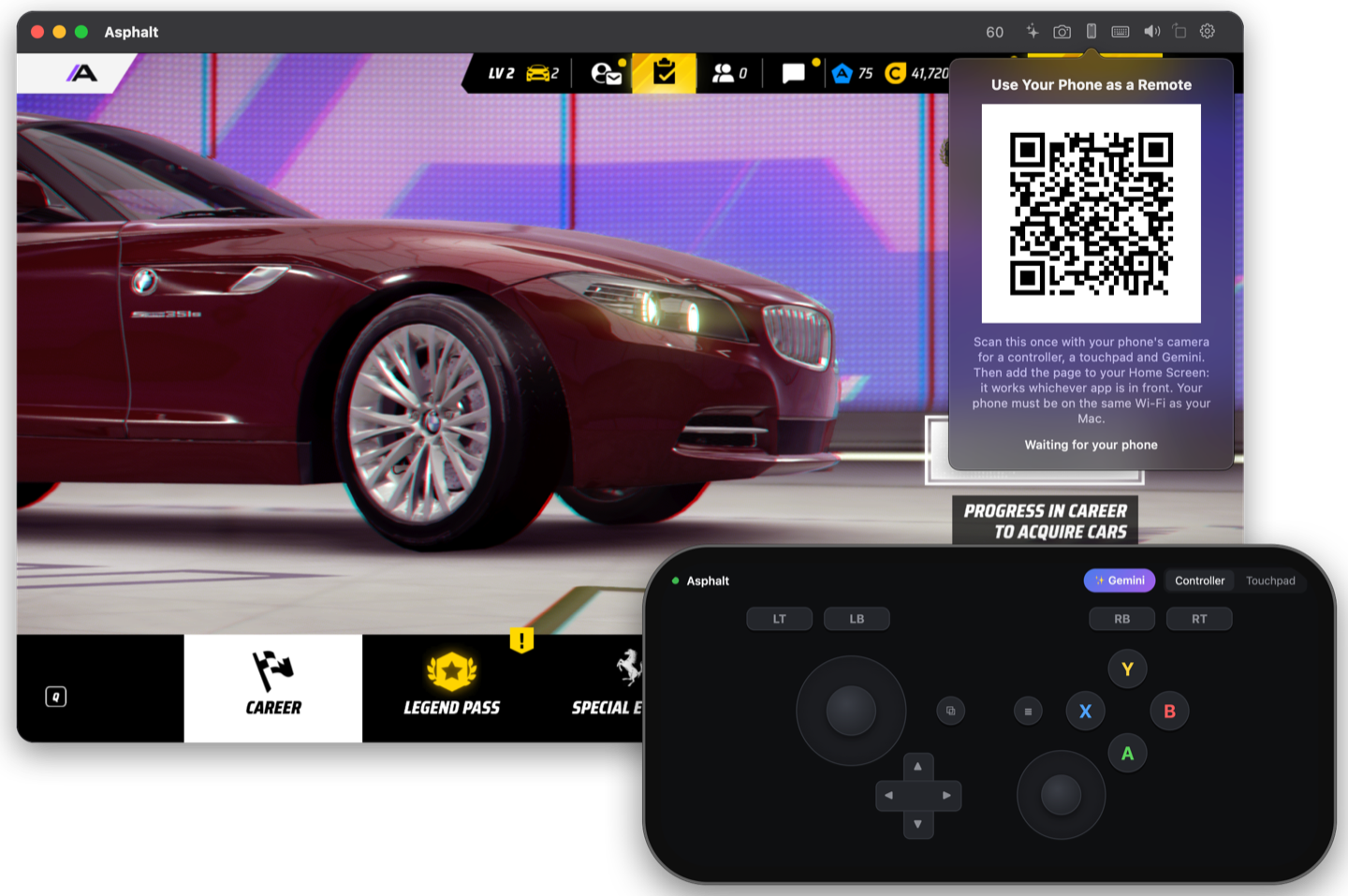
Scan the QR code in an app's window and your phone becomes an Xbox-style controller, a multi-touch touchpad and a ✨ Gemini button for whichever app is in front. Nothing to install: it's a page from your Mac, which you can keep on your Home Screen. Touches travel over WebRTC on your own Wi-Fi, so they stay smooth.

A game's window shows a QR code; in front of it, a phone shows an Xbox-style controller

Games, at up to 60 frames a second.

Games run on your Mac's GPU with Vulkan 1.3 and OpenGL ES 3.2, and macOS gives them Game Mode. Play touch-only games with the keyboard and mouse, or with an Xbox, PlayStation or MFi controller.

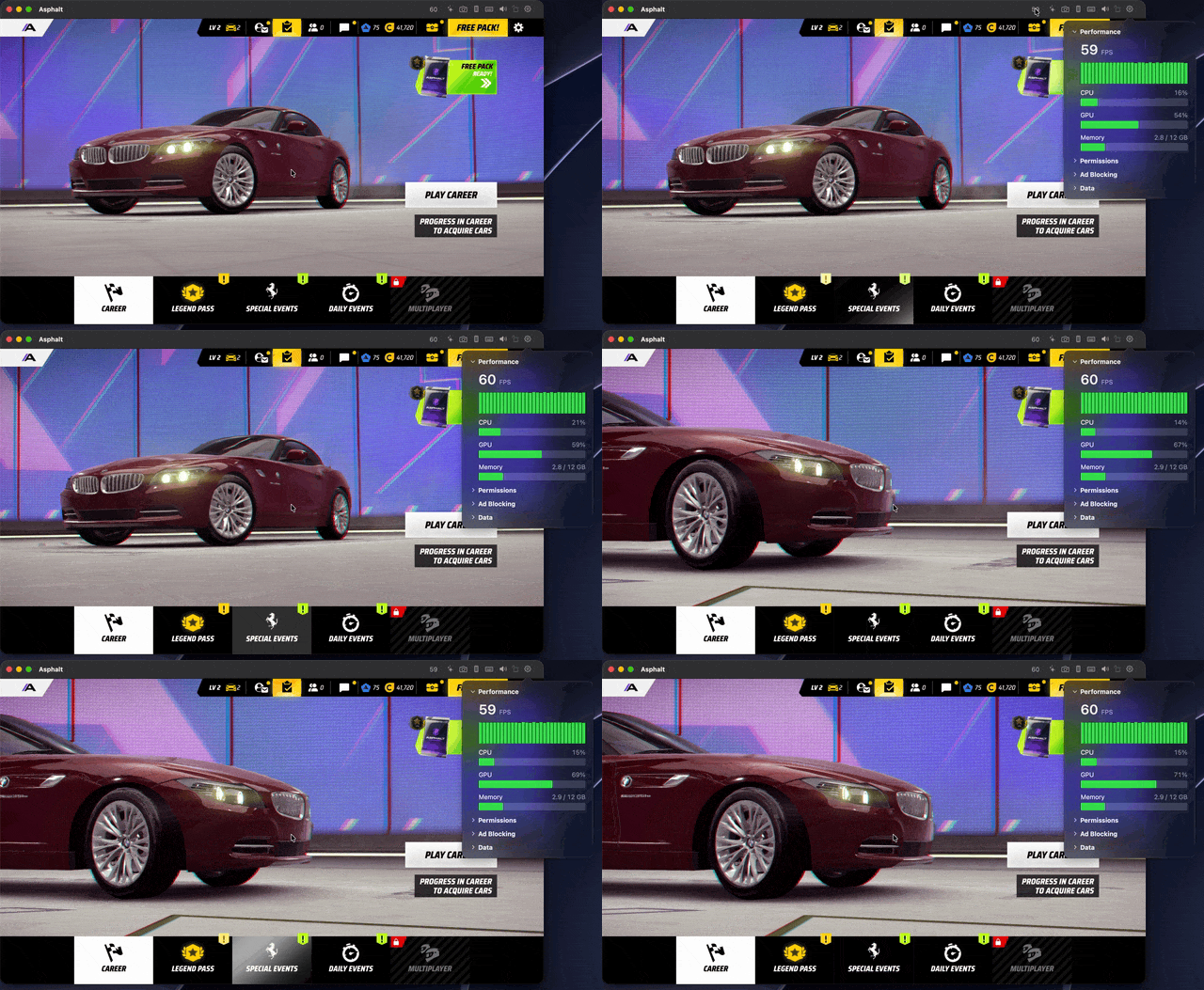
Click the frame rate in the toolbar to see how a game runs: frames per second over the last half minute, and the Mac's CPU, GPU and Android's memory.

A game's settings open at Performance: 60 FPS with a green graph, and CPU, GPU and memory bars that move as the game runs

Screenshots and recordings of the app alone.

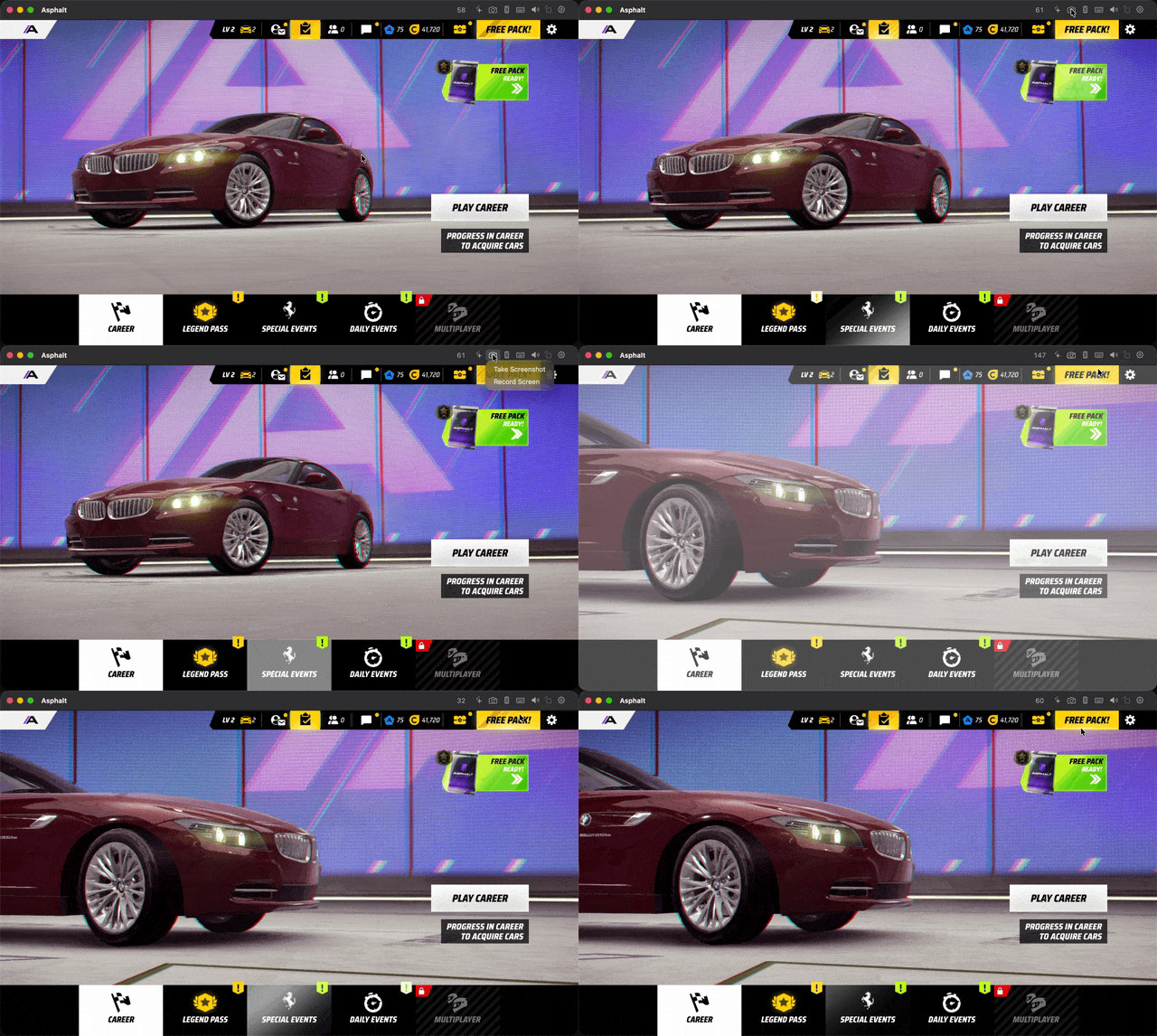
The camera button captures just the app's screen, without its window, at Android's full resolution, or records it with its sound. They're saved where your Mac saves its own screenshots.

The camera button in a game's toolbar opens a menu; Take Screenshot flashes the game's screen as the picture is saved

Windows that fit.

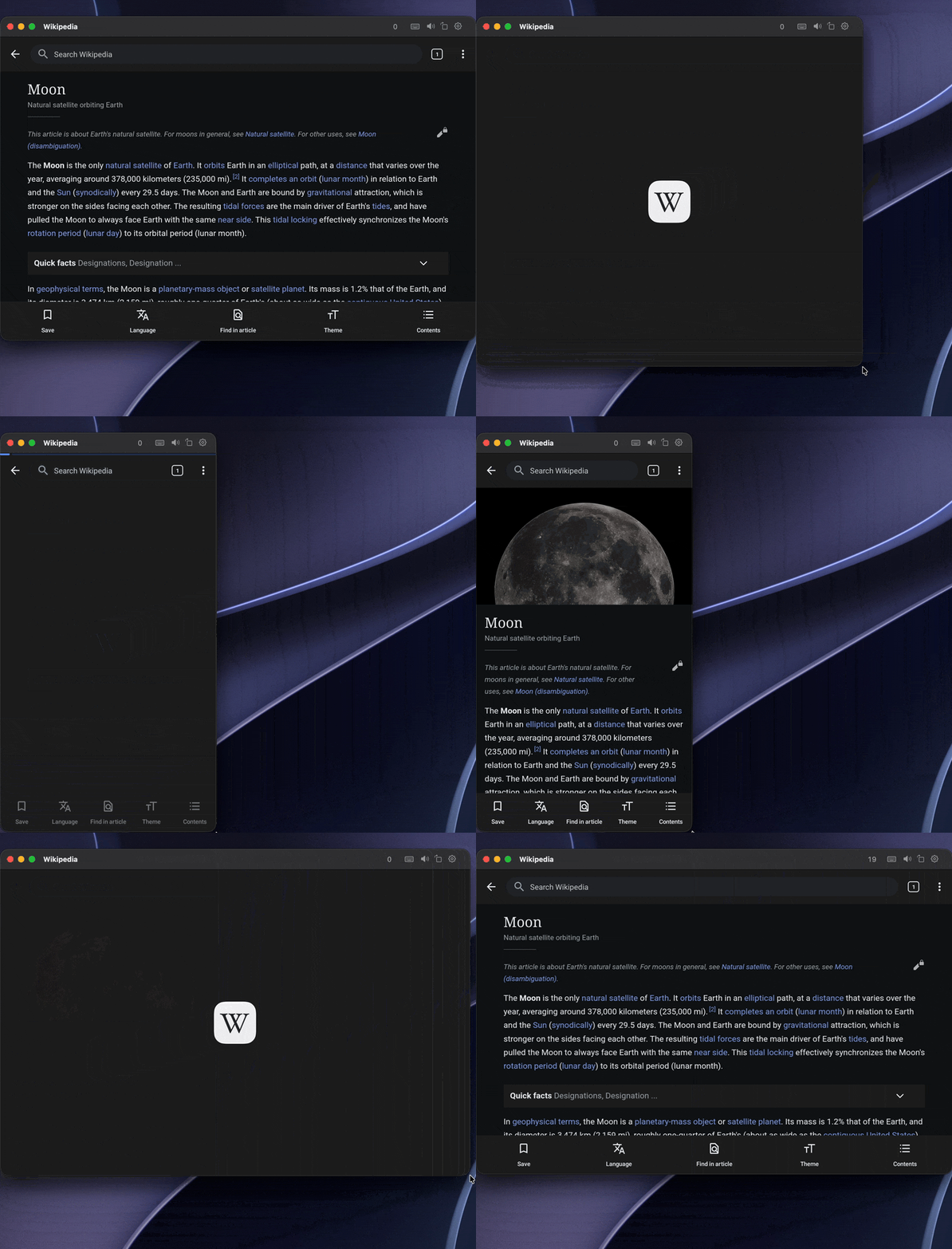
Make a window wider and the app lays itself out again, with its tablet layout if it has one, rather than stretching a phone screen. Games keep their shape and scale up to full screen.

Wikipedia's window is made narrow and Wikipedia switches to its phone layout, then widened back to its tablet layout

Notifications in Notification Center.

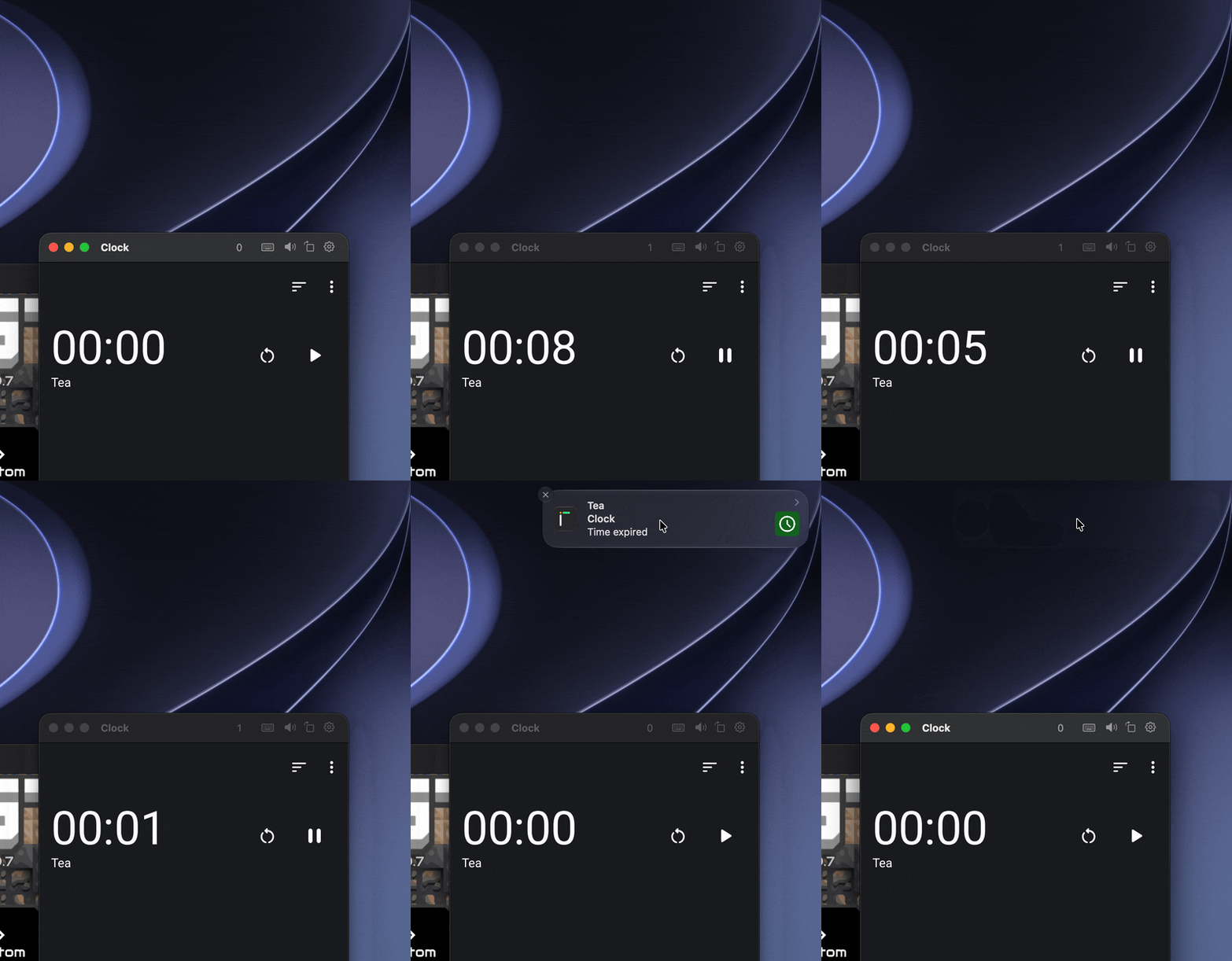
Apps notify you while you work in something else, even with no window open. Click one to open the app on what it's about, and answer chats right from the notification.

A timer runs out while another app is in front, and clicking its notification brings the clock app forward

Gemini, over any app.

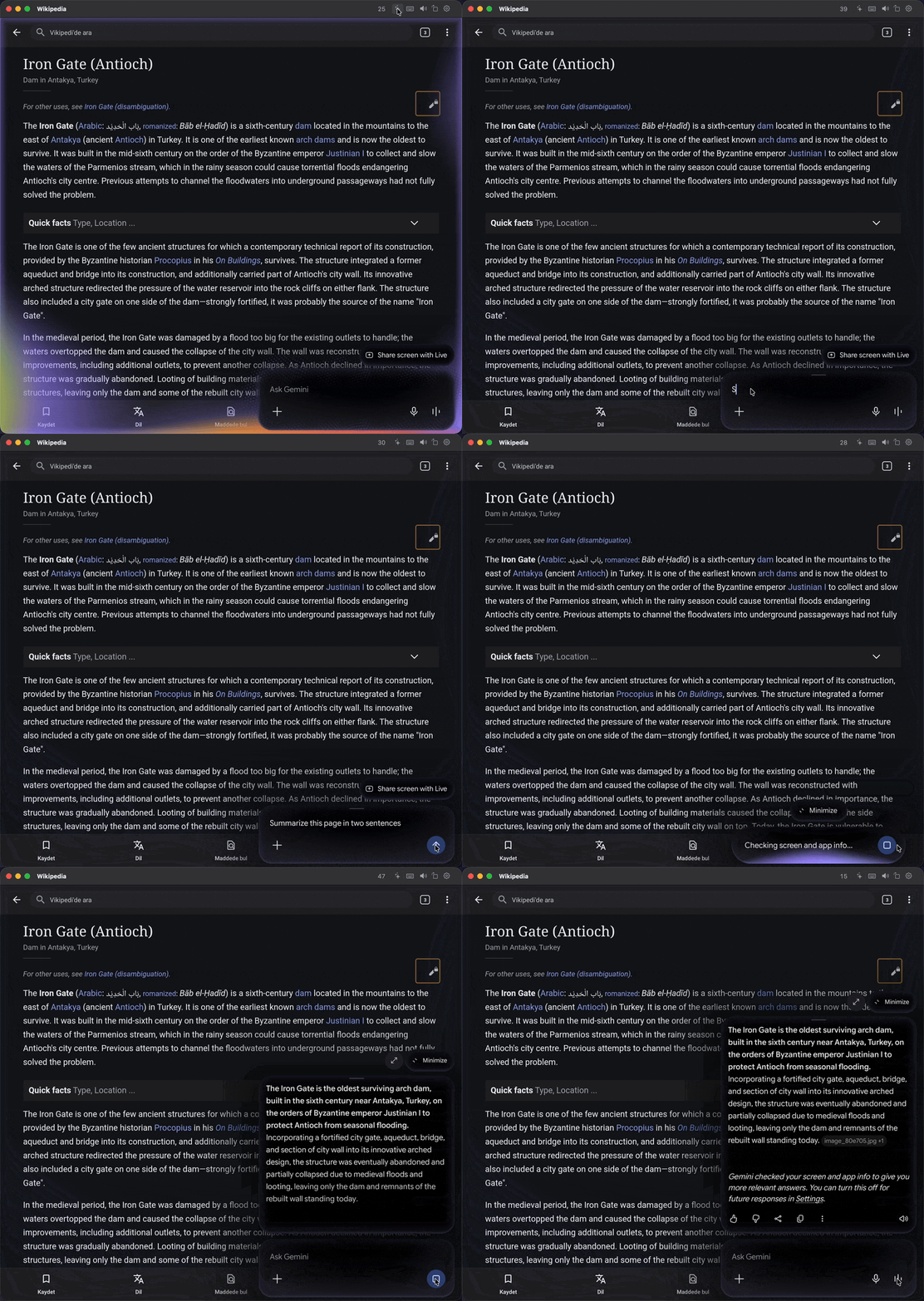
The ✨ button opens Gemini over the app in front, as holding a phone's power button does. Ask about the page, the chat or the game you're looking at, or talk to it with Live through your Mac's microphone.

In Wikipedia's window, the sparkle button opens Gemini, which reads the article on screen and summarizes it

Widgets on your desktop.

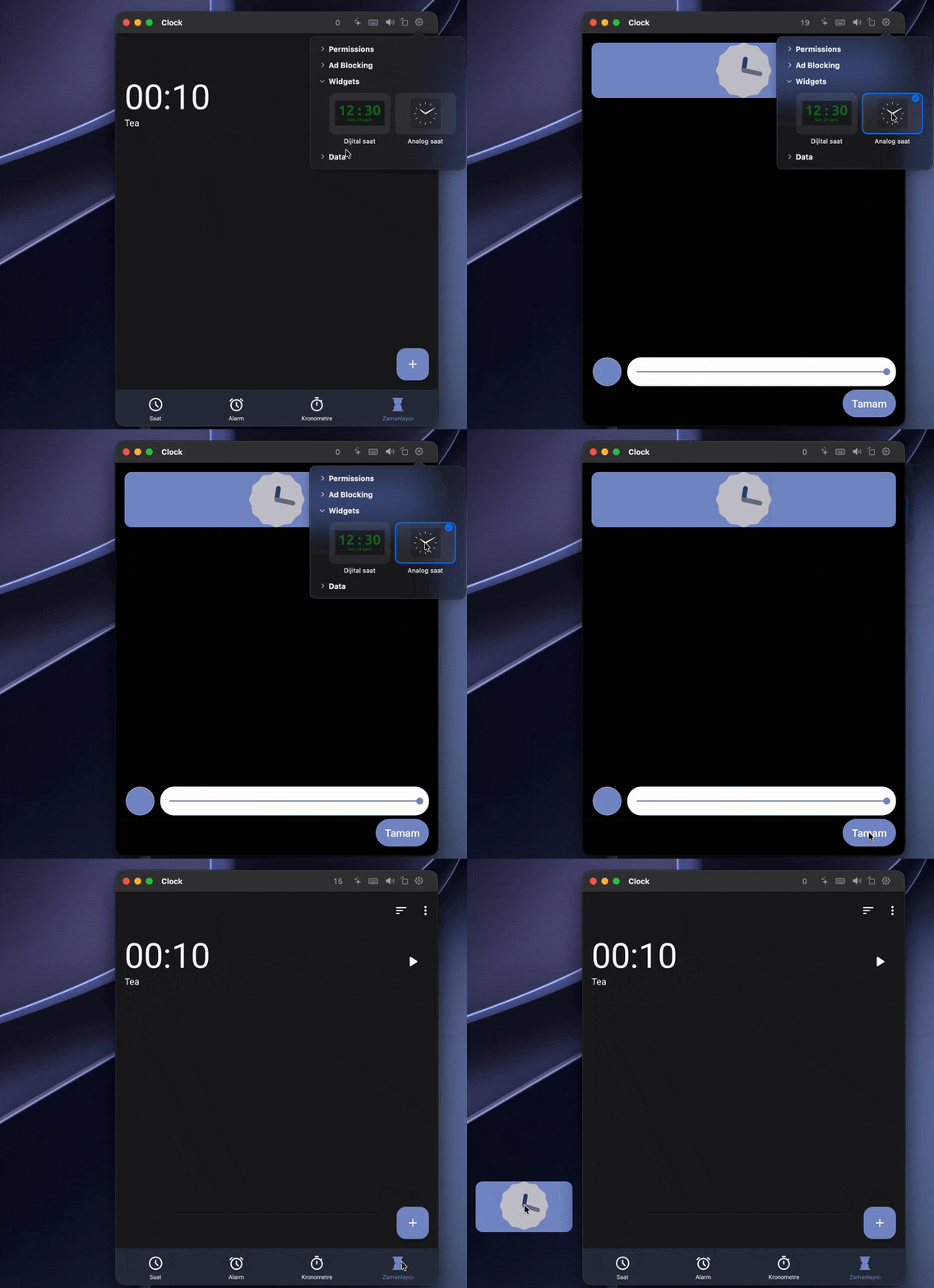
An app's widgets go on your desktop as Android draws them, kept up to date. Tap and scroll them, drag them anywhere, and right-click to open the app.

Choosing the clock app's analog clock widget puts it on the desktop beside the window

All your Android apps, in one place.

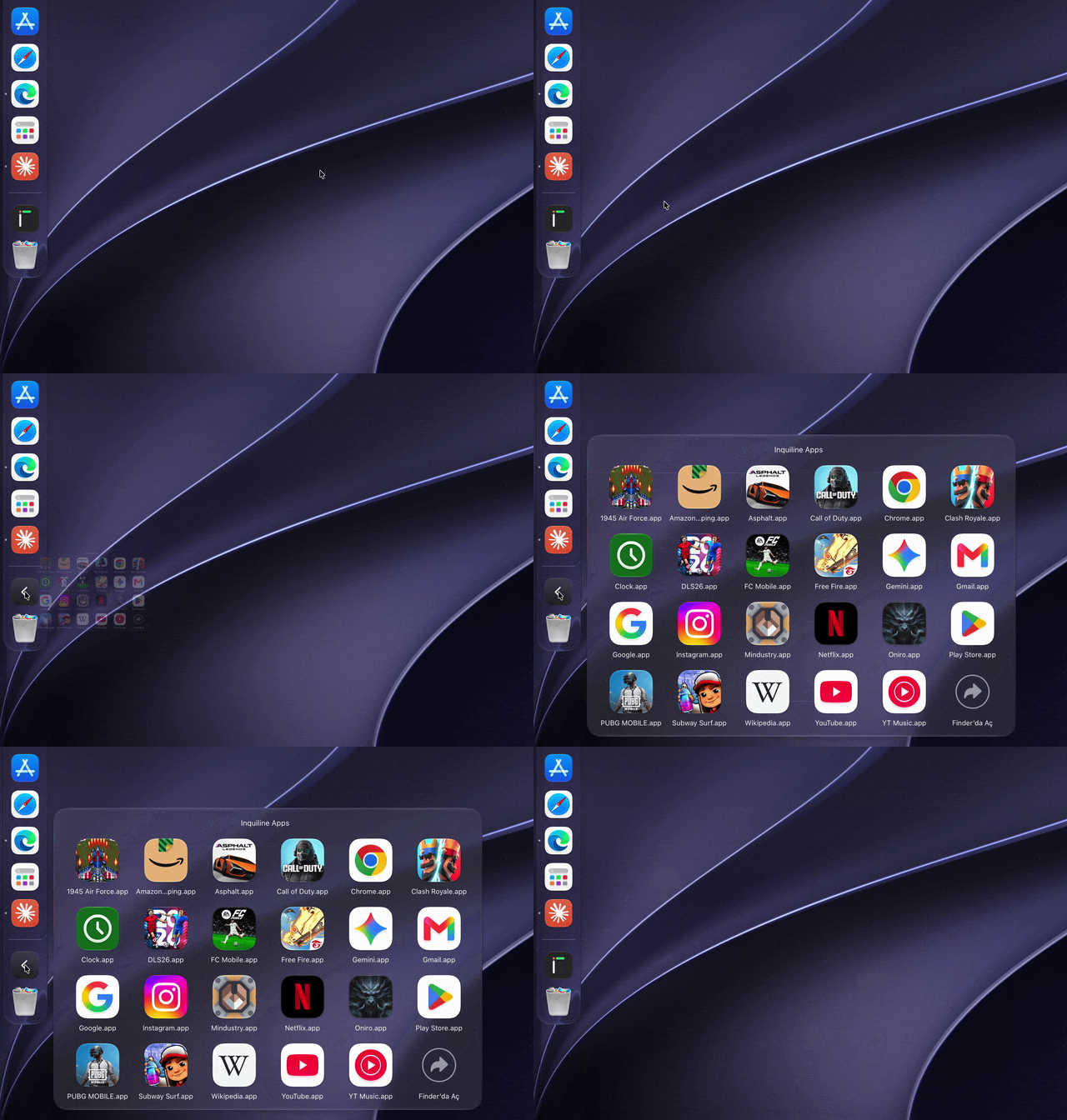
Your Android apps live together in Applications › Inquiline Apps, and Spotlight and Launchpad list them with the rest. Keep them all in the Dock as one stack if you like, which opens as a grid.

Clicking the Inquiline Apps stack in the Dock opens a grid of every Android app

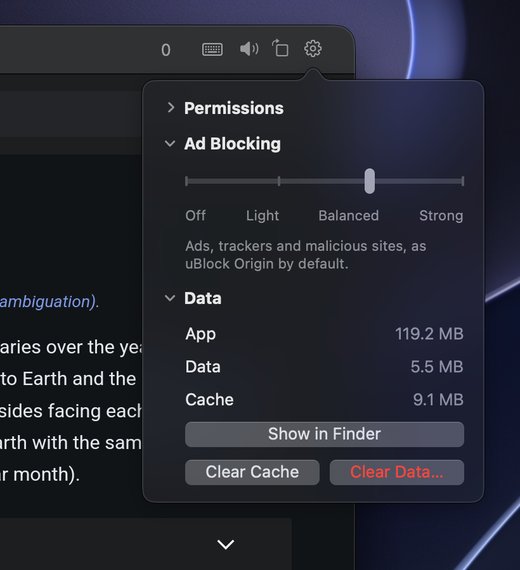
Each app's own settings.

  • Permissions, each with a switch.
  • Ad Blocking in four levels, with uBlock Origin's and AdGuard's lists, updated daily.
  • Sound: volume, mute just this app, an equalizer and loudness.
  • Data: the app's size, its folder in Finder, Clear Cache or Clear Data.
An app's settings: Permissions, Ad Blocking set to Balanced, and Data

Not an emulator.

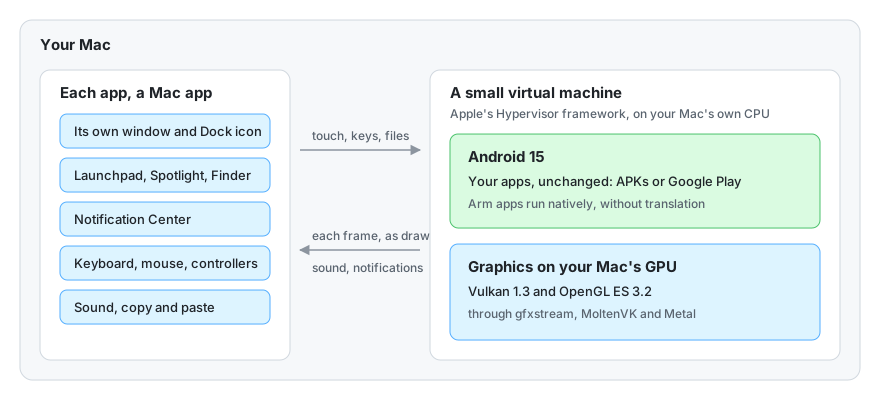
Android runs in a small virtual machine on the virtualization Apple builds into macOS. Its Arm apps run on Apple Silicon as they are, and draw with your Mac's GPU through Metal.

Your data stays on your Mac

Nothing you do in Android leaves your Mac through Inquiline. It only asks GitHub once a day whether there's a new version.

Follows your Mac

Android takes your Mac's language, dark mode, time zone, microphone and location, after macOS asks you once.

Rests when idle

Android sleeps when no app needs it, wakes for notifications and alarms, and gives back memory your Mac needs.

Free and open source

Apache 2.0, built on QEMU, Redroid, gfxstream and MoltenVK. No account, nothing to sign up for.

Diagram: each Android app is a Mac app that talks to Android 15 in a small virtual machine, whose graphics run on the Mac's GPU

Install

With Homebrew: brew install --cask inquiline-app/tap/inquiline. Or by hand:

  1. Download the disk image from the latest release and open it.
  2. Drag Inquiline onto the Applications folder.
  3. Open it. Inquiline isn't notarized by Apple yet, so macOS stops it the first time. On macOS 15 and later, open System Settings › Privacy & Security and choose Open Anyway. On macOS 14, Control-click Inquiline and choose Open. You only do this once.

Needs a Mac with Apple Silicon (M1 or later), macOS 14 or later and 8 GB of memory; 16 GB is better for big games.

Questions

Does Google Play work?

Google's apps can't be included, but you can add them yourself from the menu bar with Install Google Play…, as the guide explains.

Why is a game's first launch slow?

Its graphics programs are prepared for your Mac's GPU the first time, which can take a few minutes for large 3D games. Later launches are much faster.

Will banking apps work?

Most won't: Inquiline isn't certified by Google, and this preview's Android has root access, so don't use it for banking, payments or other sensitive accounts.

How do I uninstall it?

Move Inquiline to the Trash while it's running in the menu bar. It removes the apps you added, Android and everything in it, and its own settings, caches and logs.

Something doesn't work.

Choose Report a Problem… from Inquiline in the menu bar, or open an issue. Inquiline is an early preview, so reports help a lot.